Member
Open member details
Member walkthrough
A quick tour of your missions, photo proof, AI coach, shop rewards, and profile — from the first tap to earning your first reward.
This official guide explains practical GrowWall workflows for families. Start with one visible win, show proof clearly, let rewards support agency, and use review status to build trust instead of friction.
Demo data notice: All names, profiles, tasks, rewards, wallet balances, proof images, screenshots, and workflows in this guide are mocked for product education. None of these examples represents a real child, household, account, or production record.
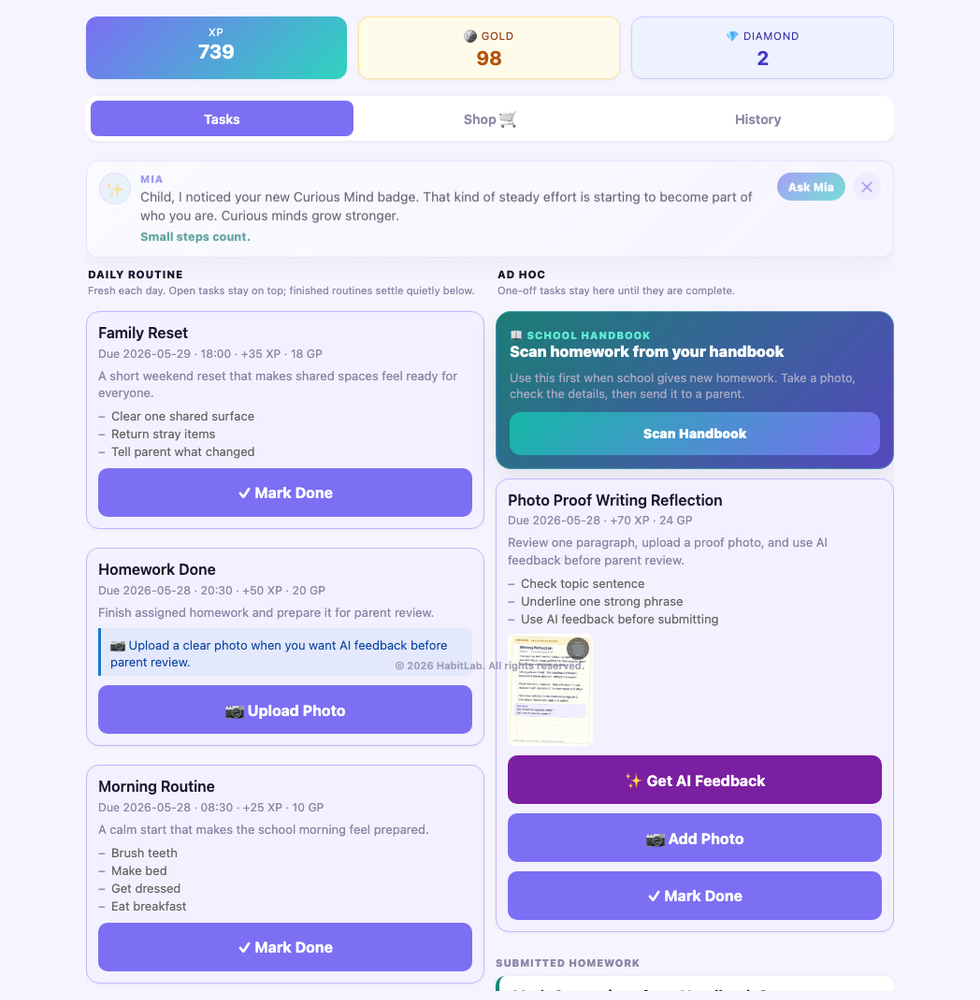
Watch the walkthrough first for the big picture, then use the sections below for step-by-step guidance on any specific feature.
A quick tour of your missions, photo proof, AI coach, shop rewards, and profile — from the first tap to earning your first reward.
GrowWall clicks when you follow one workflow start to finish: pick a mission, complete it, upload proof, submit, get approved, earn the reward, then redeem or save.

The examples below use mocked names and tasks, but they show realistic family workflows so you can see how GrowWall works in practice.
This story shows a member who likes building, testing, and improving. The guide uses short tasks that create a visible record instead of vague pressure.
This story shows a member who grows through movement, speaking, and preparation. The system rewards initiative and steady practice.
This story shows how GrowWall supports ordinary life: shared resets, healthier routines, reading, outings, and visible appreciation for helpful effort.
Read-only family display for active tasks and milestones.
Member LoginPIN-based sessions for member mode.
TasksDaily, weekday, weekly, monthly, ad hoc, and deadline-locked work.
Photo ProofUpload realistic homework or report photos, enlarge previews, reorder or remove images before submission, and keep review records.
AI FeedbackStructured homework feedback with score, summary, strengths, mistakes, next step, uncertainty warnings, and retry/fallback handling.
AI CoachMia provides warm tutoring and coaching that guides the next step instead of giving away answers.
MilestonesLonger goals with steps, countdowns, final result approval, and adjustable rewards.
BountiesFamily deals for initiative, help, extra missions, fulfillment, and follow-up.
ShopGP and Diamond redemptions, reward ideas, saving goals, and fulfillment.
WalletXP, GP, Diamond balances, grants, holds, refunds, penalties, and history.
IdentityLevels, streaks, badges, avatar growth, daily reflection, and progress sparkline.
Review StatusSubmitted, awaiting approval, needs changes, done, and reward status in one place.
The homepage is the calm read-only view for the room or iPad Web Clip. It shows what is active today without asking anyone to sign in first.
Member mode is for doing work. A member chooses their profile, enters their PIN, completes the action, then returns the shared device to the homepage.
Milestones are for goals that need more than one sitting: a robotics build, reading goal, sports challenge, family outing plan, or LetFlow website page.
Status labels help members know what to do next. They should make the workflow calmer: finish, submit, improve if needed, and celebrate once approved.
Scan your wall from left to right: wallet, tabs, daily routine, tasks, milestones, and bounties. Start with something short and specific.
Some tasks complete right away. Others become Awaiting Approval — that means your work is on the parent's list. That's progress, not failure.

For proof-based work, upload clear handwritten homework or report photos, remove mistakes, reorder the best image first, and enlarge photos to check readability before review.

AI feedback is a separate review step. Use it after uploading readable proof photos, review the structured score, summary, strengths, fixes, and next step, improve the work if needed, then submit for review.

Mia, GrowWall's AI coach, is best used for the next step, such as improving a paragraph, choosing a robotics test, or breaking a task into smaller actions.
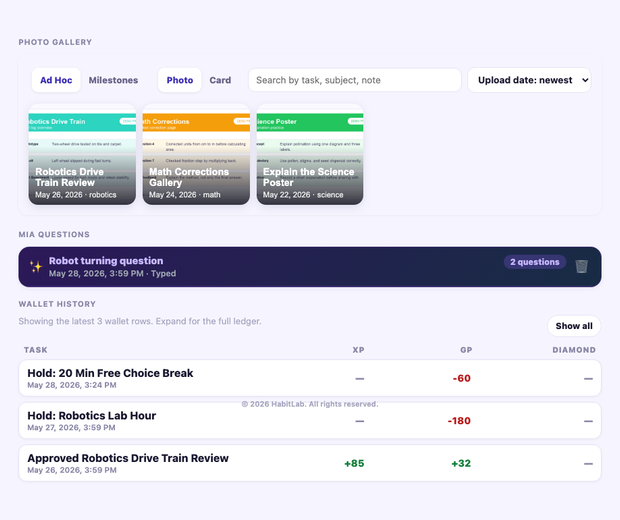
History is where a member sees wallet changes, proof galleries, completed work, bounties, and AI coach questions. Treat it as accumulated evidence of effort, not as a public report card.

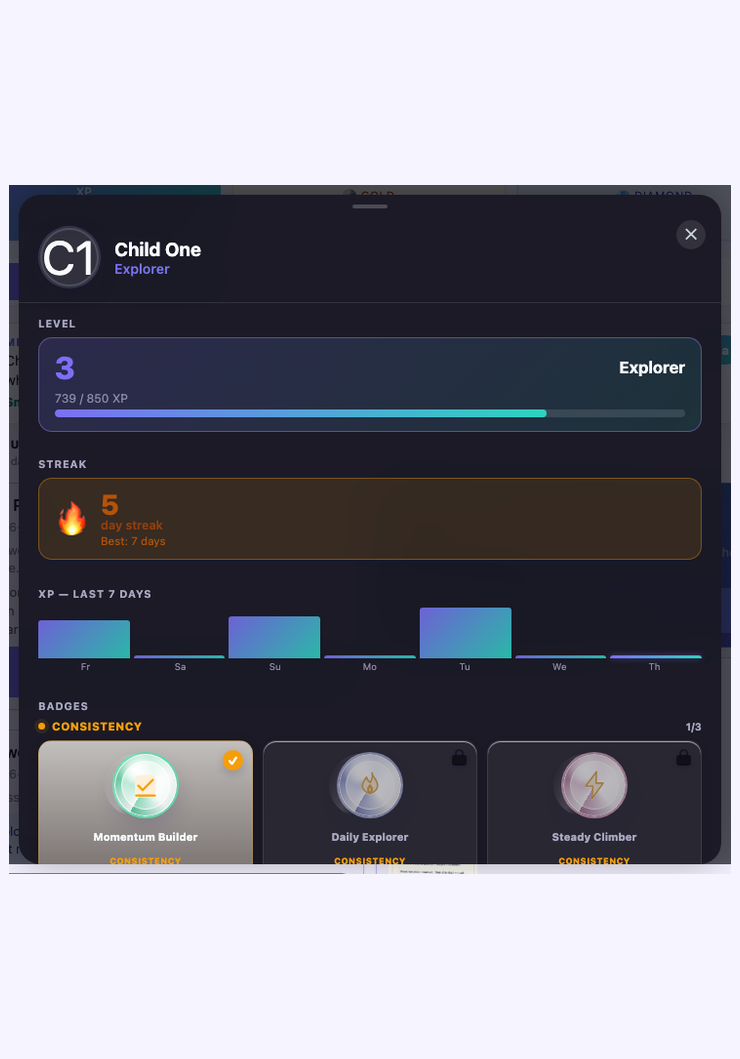
The Today welcome gives members a calm starting point: recent achievements, priorities, heatmap, and streak context. Profile then turns invisible consistency into levels, streaks, badges, avatar growth, and a recent XP sparkline. Celebrate patterns more than single spikes.
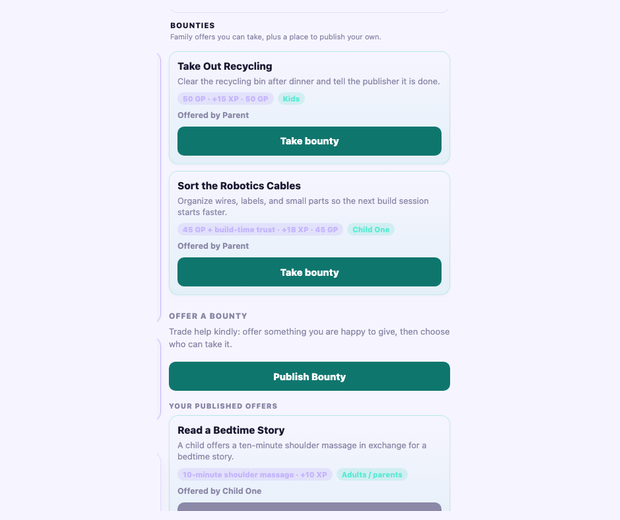
Bounties are extra missions or family agreements. They work well when the reward is proportional and the action helps someone else.
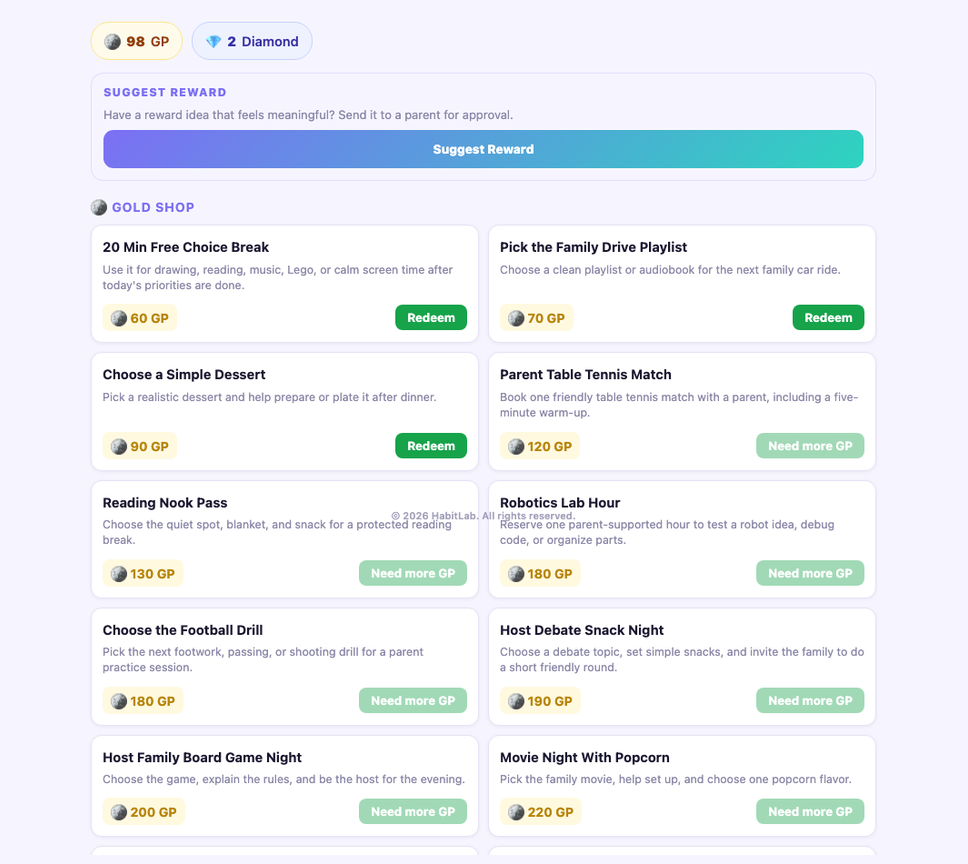
The shop should include quick wins, identity rewards, family-choice rewards, and rare Diamond goals. The point is self-directed growth, not buying obedience.
GrowWall works best when rewards follow growth: effort first, proof second, review third, reward fourth. The system should make the family calmer, not busier.
Ask an adult at home for help signing in again.
Member sessions expire after a period of inactivity. Return to the homepage and log in again.
Some tasks lock after a deadline. Ask an adult at home if there is a good reason to reopen it.
The shop disables unavailable redemptions. Keep earning, choose a smaller reward, or suggest a new one.
Use notes and proof first. Core completion and review still work without AI.
Refresh the page, confirm the Web Clip opens the correct GrowWall screen, and check that the icon/profile points to the latest deployment.
This manual uses mock members, mock tasks, generated visuals, and demo workflows. It does not include real household records, real emails, tokens, or production proof photos.
This help page can be public because it teaches the product. Member work, wallet history, proof, review actions, and account controls remain behind sign-in.